September was a milestone month for us. We took on a new name, and we shipped a stack of features to help you reach your church more easily. From importing Registrations and Groups straight from Planning Center to a free QR code generator anyone can use, here is a look at the highlights.
Church Space is now Flowforth
We have some exciting news to share. Church Space is now Flowforth. The new name better reflects what we are here to do: serve churches and nonprofits who use Planning Center by giving you communications and content tools that are a joy to use. We are deeply committed to you and your ministries, and this is another step forward as we keep improving email and begin to expand beyond it. If you run into anything during the move from churchspace.co to flowforth.co, reach out at support@flowforth.co and we will be happy to help one on one.
Import Registrations and Groups from Planning Center
Tired of repeating work and hunting down the right links? You can now import Registrations and Groups straight from Planning Center into your emails. After you select the items you want, we bring in the image, the description, and a button linking right to the sign up.
Free QR Code Generator
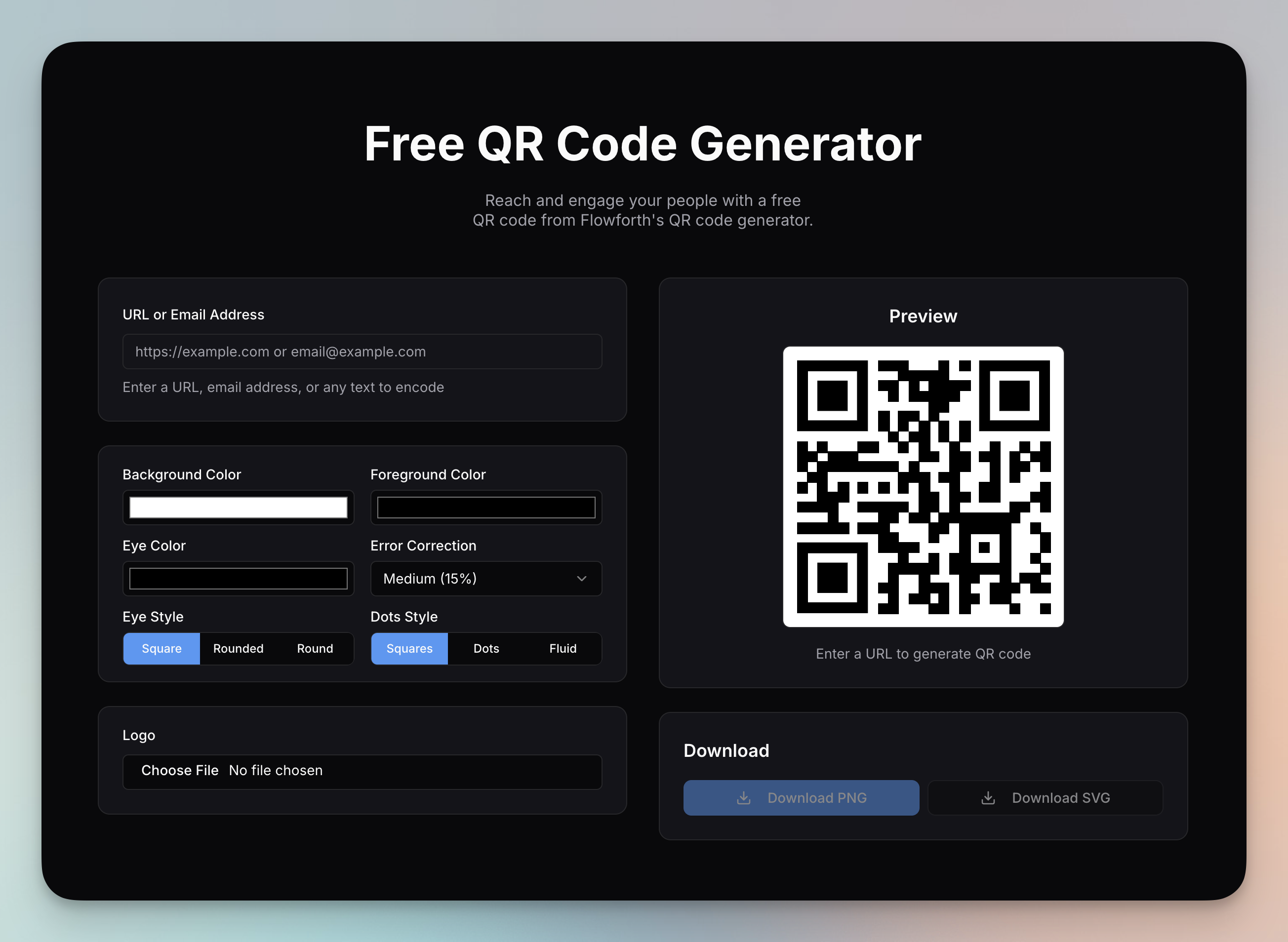
We released a free QR code generator that is not tied to your account, so anyone on your team can use it. Try it out at https://flowforth.co/tools/qr-code-generator. We also added a filter for the from email address on the Emails table.
See Opens Over Time
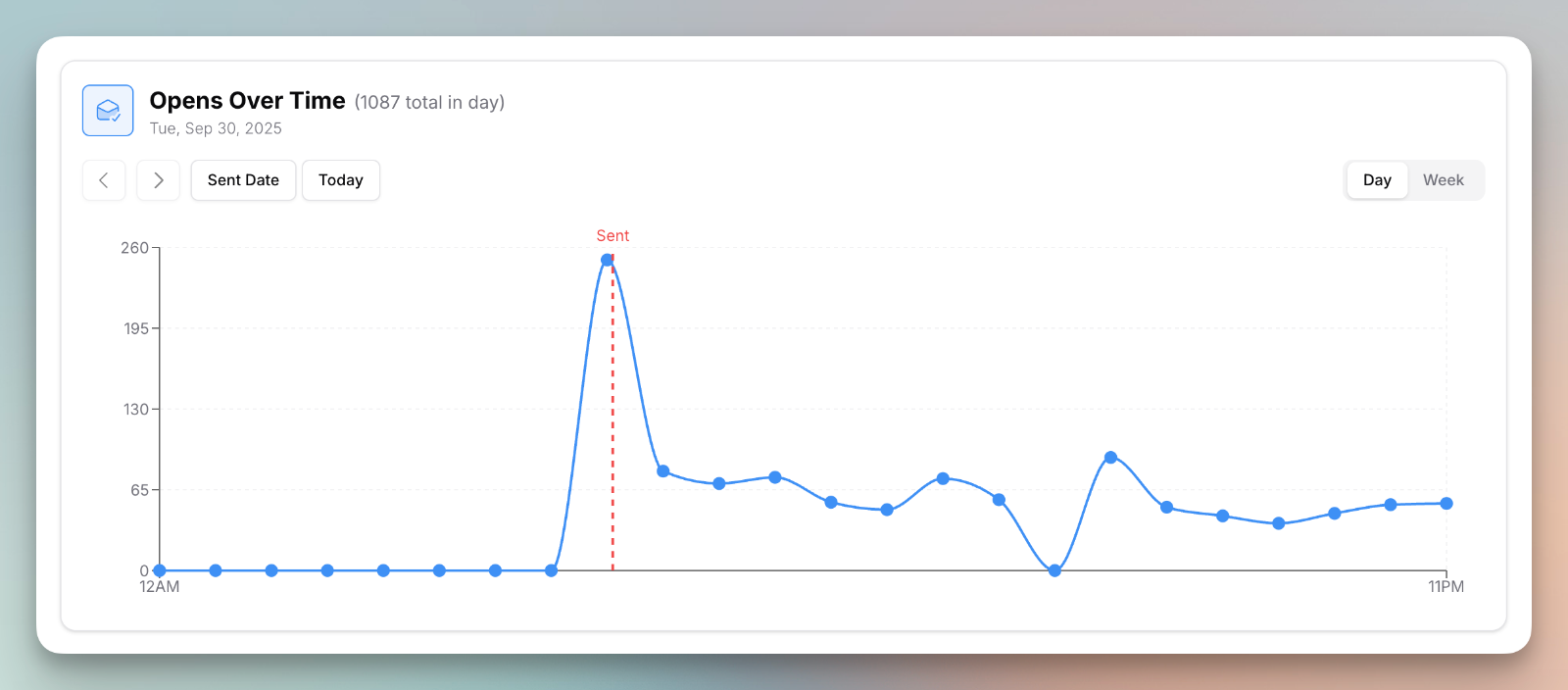
Open rates are not the best metric to track, but they still give you helpful insight into how an email performed and what time you should be sending. That is why we rolled out a new chart on the metrics tab of sent emails. You will see it on any email sent from this week forward. You can also click on a link on the sent email page to see exactly who clicked it.
A better person page
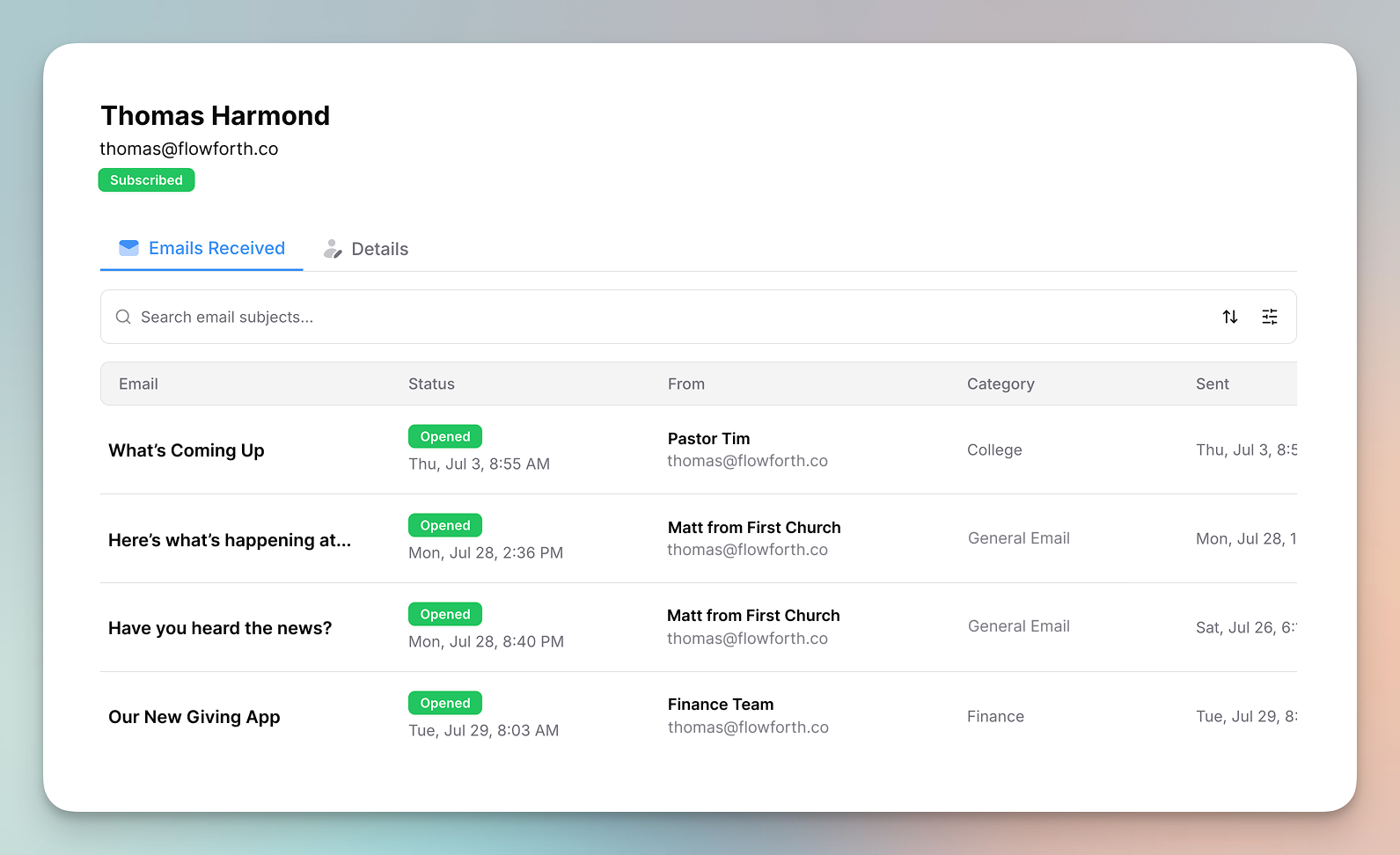
You can now click on a person's name at https://flowforth.co/people to see the emails sent to that email address. You can also set a custom email address for a person that is different from their Planning Center email address. This is handy when someone wants newsletters to go to a different inbox than their Planning Center notifications. On the lists table, you can now see and filter by a list's category in Planning Center.
Plain text merge tags
You can now use merge tags in any block by typing them out. For example, @first-name replaces with the person's first name. Before, merge tags only worked inside a text block when you used the @ menu.
Fixes and improvements
A few smaller updates that made September better:
- The List block is easier to use with just a keyboard. Type directly in it, navigate with arrow keys, and press return to add more items.
- The asset browser has more filter options and significantly better performance.
- We added Pinterest as an icon option throughout the app, and made mobile tables a bit easier to use.
- We made improvements to the login and onboarding flow, and to the new email dialog.
- Sort direction now persists if you refresh or change pages and come back.
- We cleaned up the links section on the sent email page so your click stats are not cluttered by the unsubscribe and manage preferences links.
- We improved how unsubscribes work on CSV emails, and a person imported as unsubscribed is now marked with the reason "Unsubscribe imported from CSV".
- We fixed the button text color on the unsubscribe page in dark mode for better readability.
That is a wrap on a big September. Log in to try these out, and as always, tell us what you would like to see next.