March was a big month for the email editor and for staying connected with your church. We shipped a brand new way to reach people through Church Center, folders to keep your emails organized, and a long list of editor improvements that make building emails faster and more reliable. Here is a look at the highlights.
Church Center Announcements
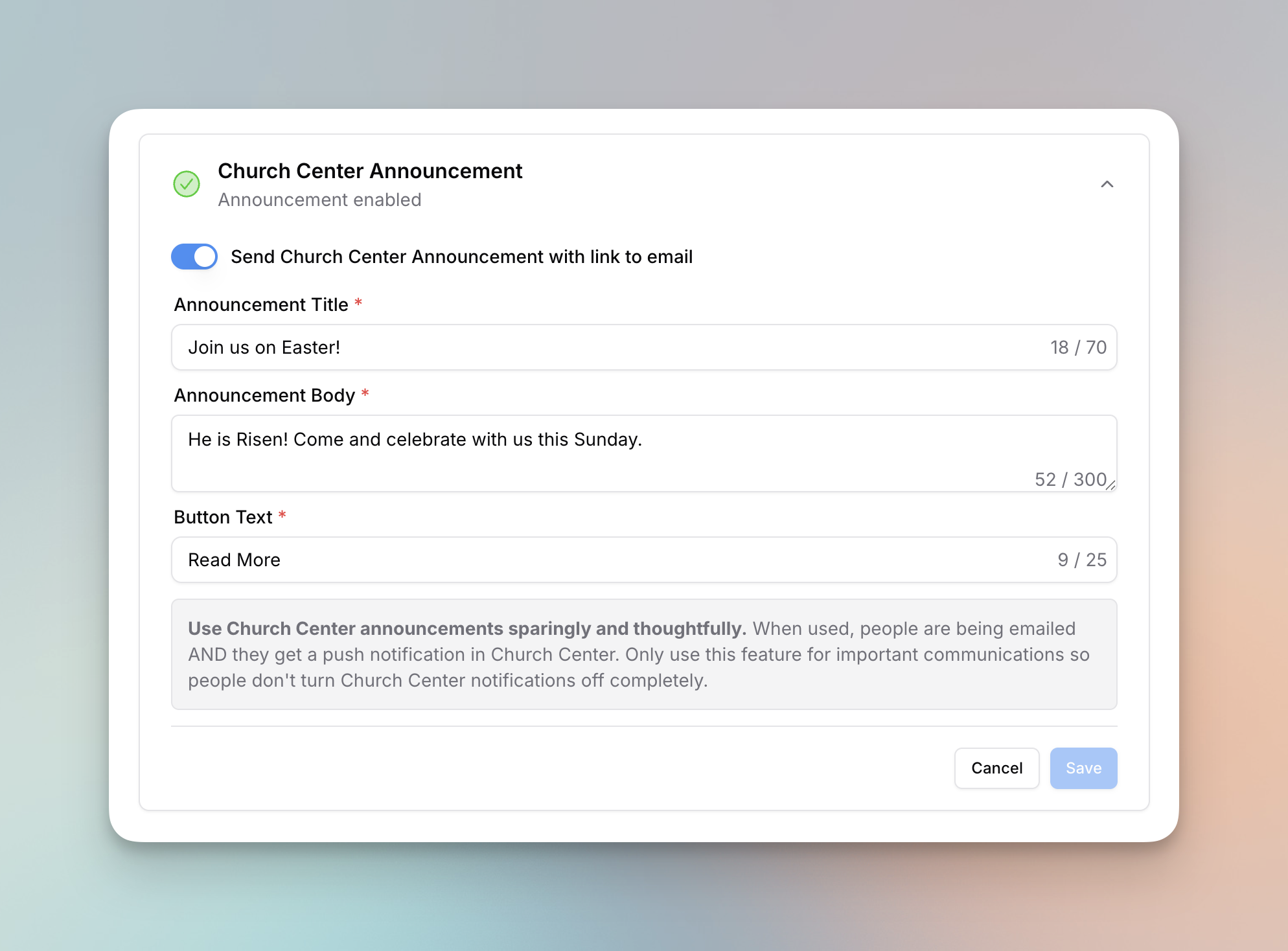
Your email does not have to stop at the inbox. You can now send a Church Center announcement to everyone on the list your email goes to. When someone taps the announcement, they can open the full email right on the web.
- Set the announcement title, body, and button text in the new Church Center section on the email detail page.
- Announcements use a public email category, so people can always view the email online.
- Owners can give specific team members permission to create and manage announcements.
It is a simple way to make sure your message reaches the people who live in Church Center but do not always check their email.
Keep your emails organized with folders
You can now organize your emails into folders. Create them, rename them, delete them, and color code them so your emails table stays tidy. Folders can be nested inside other folders, and you can move emails into a folder right from the table. If your team sends a lot of email, this brings some welcome order to your account.
We also added an internal campaign name for emails this month, which makes it even easier to find and group related sends.
A more powerful, more reliable editor
We spent a lot of March making the email editor better in ways big and small.
- Resize video blocks by dragging the handle on either side, the same way you already could with images.
- Dividers can now be up to 100px thick, and you can set them to solid, dashed, or dotted.
- Add borders to video and button blocks, and set a custom corner radius on videos.
- Align video blocks left, right, or center, and swap the two columns in a layout with a single click.
- Set defaults for fonts, colors, sizes, buttons, dividers, and images in your email style settings, then apply them everywhere at once.
- Use the new "colors in this email" tool to find a color and replace every place it appears.
- Preview your merge tags with sample data so you can confirm everything looks right before you send.
Under the hood, we rebuilt how blocks are sorted, improved undo and redo, made auto save more dependable, and made sure text blocks never lose their content. You should notice it all feels faster too.
Smarter import from Planning Center
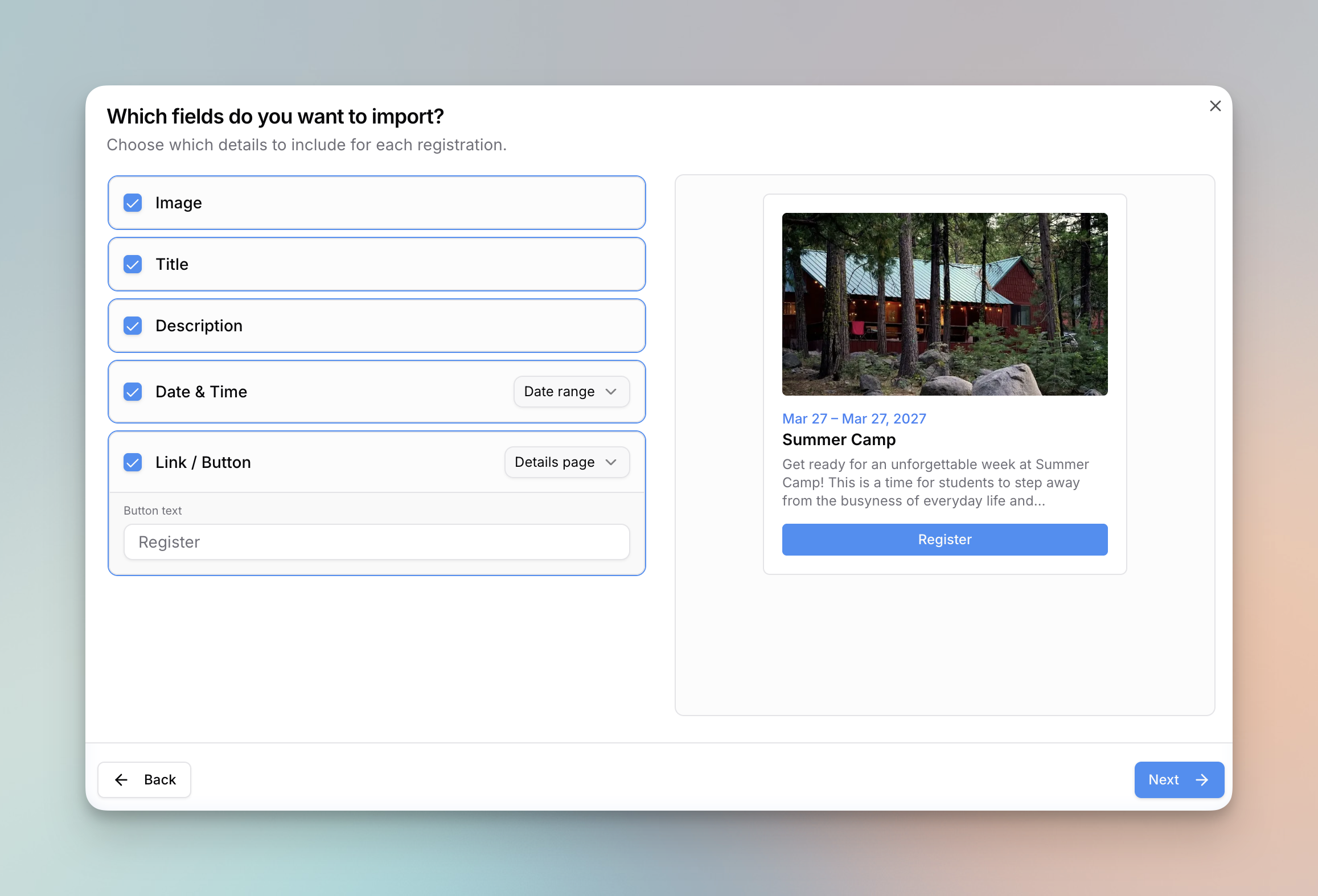
Bringing your Planning Center content into an email got a lot more flexible.
- After you pick what to import, choose exactly which fields you want to bring in.
- Set your own button text, and preview the two import styles, cards or blocks, before you add them.
- For Registrations, pull in the first event date or the full date range, and link to either the direct signup or the Church Center details page.
We also improved the import process itself, so you can see who will not be imported because they are missing an email, refresh or leave during the preview without starting over, and review your import history.
Monthly automation emails
Alongside weekly automations, you can now set automation emails to send on a monthly schedule. It is great for monthly newsletters, giving updates, and recurring reminders that you would rather set once and forget.
Fixes and improvements
A few smaller updates that made March better:
- We now wait for three bounces before marking an email as cleaned, which keeps people from being removed over a single fluke bounce. We also re-subscribed contacts who had been cleaned by mistake in the past.
- You can now use Vimeo videos in the video block, and replicate an email straight from the scheduled page.
- The list selector now loads more lists as you scroll instead of stopping at the top ten.
- We added scrolling to the editor sidebar and improved the accuracy and speed of drag and drop.
- We detect your domain provider when you add a domain and show DNS instructions tailored to it.
- We fixed the @current-date merge tag so it uses your Planning Center timezone instead of UTC.
- We improved how the list block renders in Outlook and other clients that use Microsoft Word.
- We fixed a bug where some changes were not saved when using Save and Exit.
That is a wrap on March. Log in to try these out, and as always, let us know what you would like to see next.