June was all about automations. You can now branch your flows with conditions, run them on demand, and send Church Center notifications right from a step. We also launched Signup Forms in beta, gave you a library of ready-made Email Elements, added version history to the email editor, and shipped Team Folders. Here are the highlights.
If / Else branching in automations
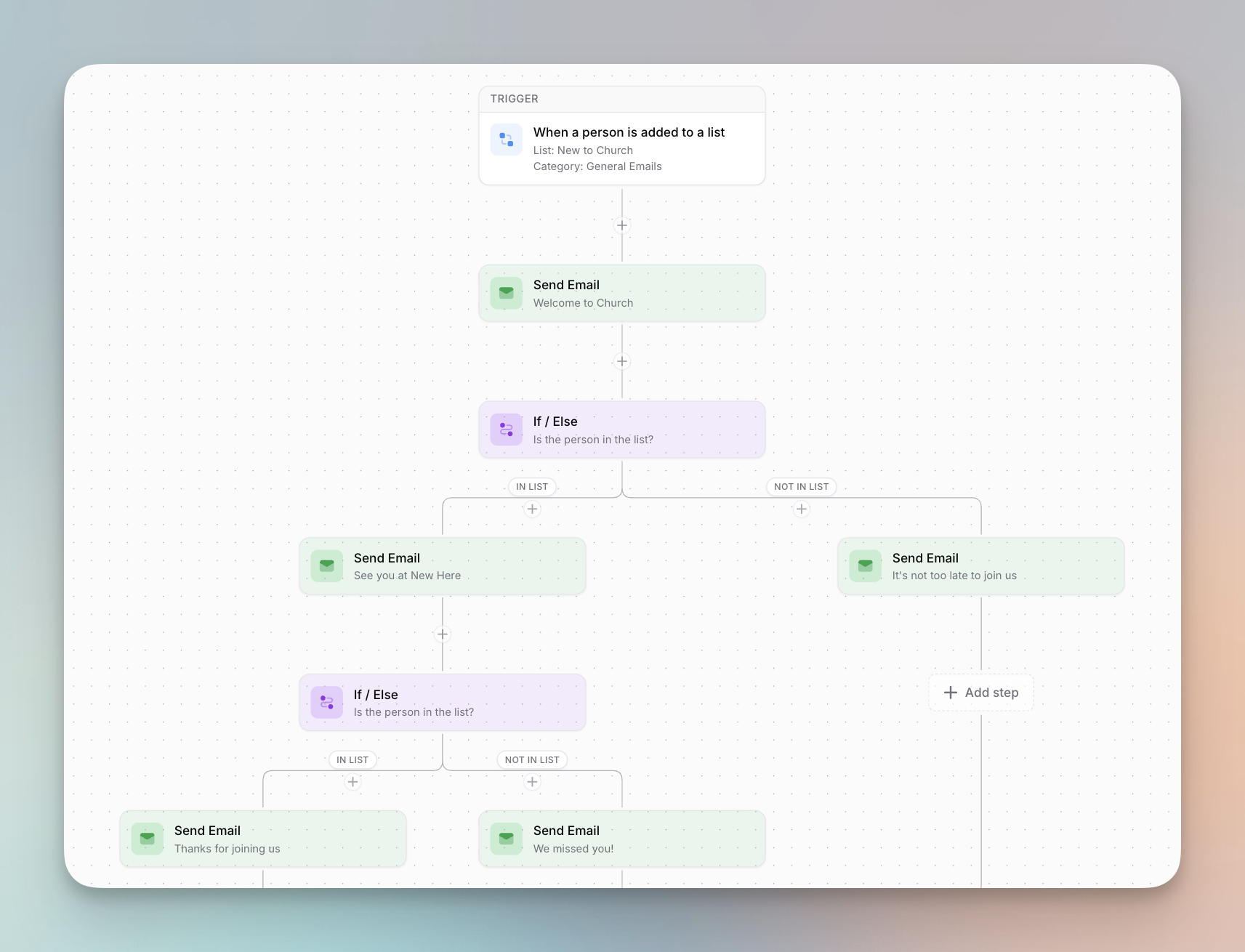
Automations can now branch. Add an If / Else step, pick a Planning Center list, and people in the list go down one path while everyone else goes down the other.
- Membership is checked the moment a person reaches the step, not when they entered the automation, so someone who joins or leaves the list during an earlier wait is routed based on where they are right now.
- Each path runs on its own schedule, and paths rejoin afterward, so a condition can sit in the middle of an automation instead of only at the end. You can even nest more If / Else steps inside a path.
- A new End Automation step stops the run for anyone who reaches it. Pair it with If / Else to end a flow early for some people, like skipping the rest of a welcome series for people already in your Members list.
Run automations on demand
You no longer have to wait for a trigger to fire. Open an automation, click Run now, and run it for everyone currently on its Planning Center list or search for and pick specific people.
- People you run manually go through all of the automation's steps just like they would on a normal trigger.
- Manual runs still respect the Allow Repeat setting, so anyone who has already completed the automation won't be started again unless you want them to be.
- Runs work even when an automation is disabled, which makes this perfect for testing or one-off campaigns.
Send Church Center Notifications from automations
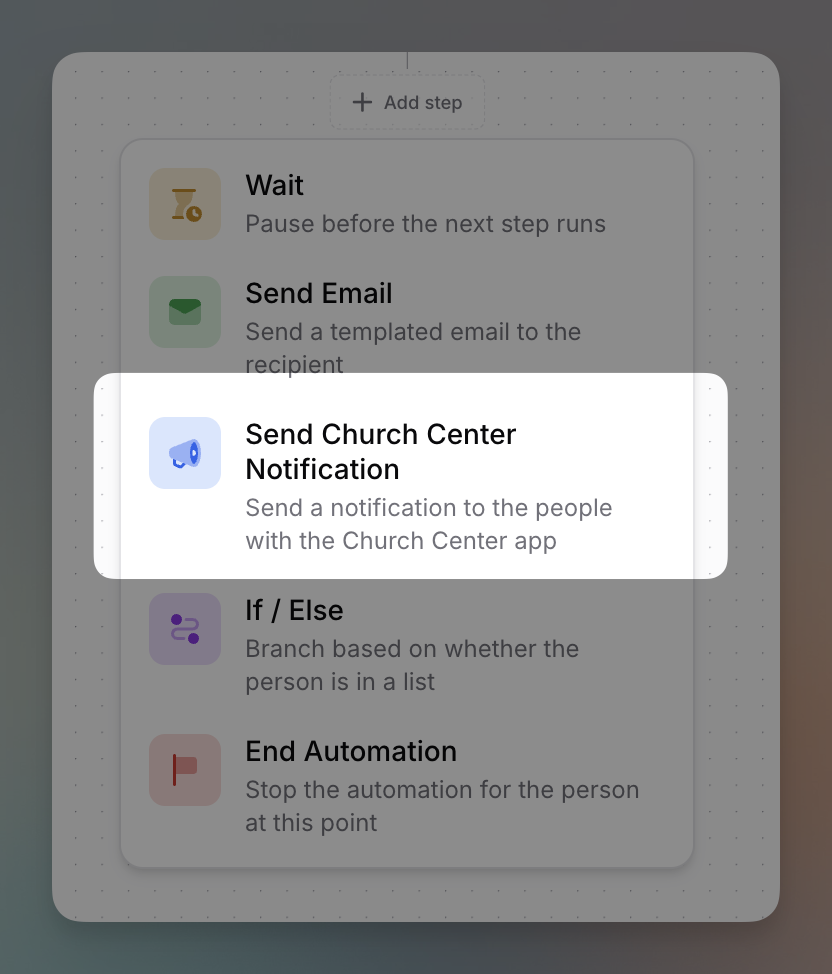
Automations have a new Send Church Center Notification step that sends a push notification to people who have the Church Center app, right in the middle of a flow. Each notification has a title and body, an auto-dismiss time, and an optional link with custom link text.
More automation upgrades landed this month too:
- Start an automation when a Planning Center form is submitted with a new form-submission trigger.
- Wait until a certain day of the week, like waiting until the next Saturday to send a reminder, on top of waiting a number of hours or days.
- Duplicate an automation step, and use Planning Center custom field merge tags in your automation emails.
- We now email your organization owners if an automation fails or loses access to its Planning Center list, so you can fix it quickly.
- Automations can now have up to 100 steps, up from 10, giving you a lot more room to build longer flows.
Signup Forms (Beta)
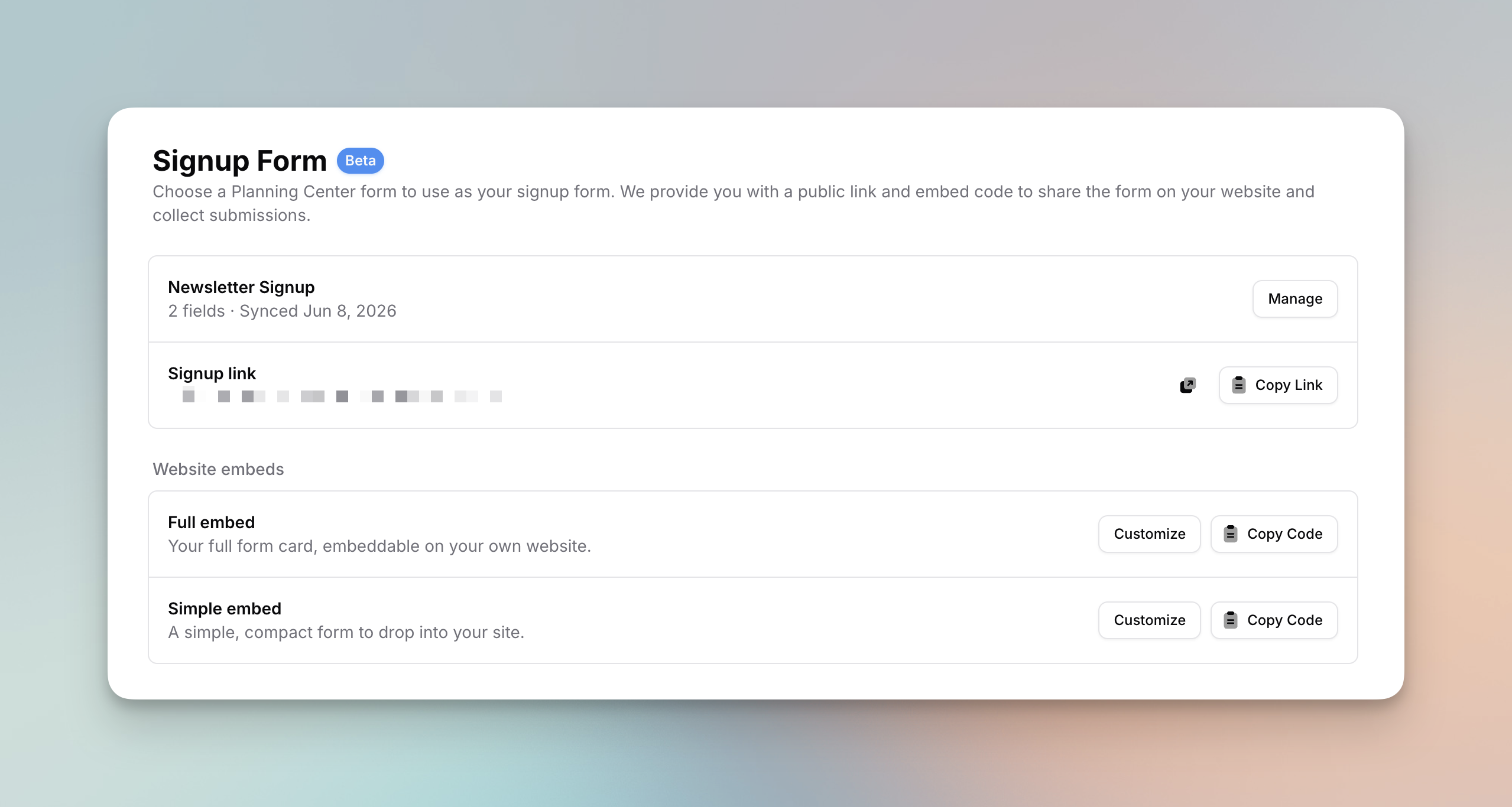
You can now collect new subscribers with a signup form powered by Planning Center. Pick any of your Planning Center forms, or let us create a basic Newsletter Signup form for you, and Flowforth turns it into a hosted signup page and embeddable website forms.
- Every submission is posted to Planning Center as a real form submission, so it creates or matches the person in Planning Center People and flows into your lists, workflows, and automations just like a Church Center submission would.
- Your form lives at your-domain/subscribe, ready to share in emails, on social media, or behind a QR code, and you can copy a Full or Simple embed onto your own website with its own design settings and a transparent background.
- Signing up is an explicit opt-in, so if a submitter had previously unsubscribed, we automatically flip them back to subscribed, and submissions are protected with rate limiting and a honeypot field.
Signup Forms are in beta, require the People scope on your Planning Center connection, and can be managed by organization owners.
Email Elements
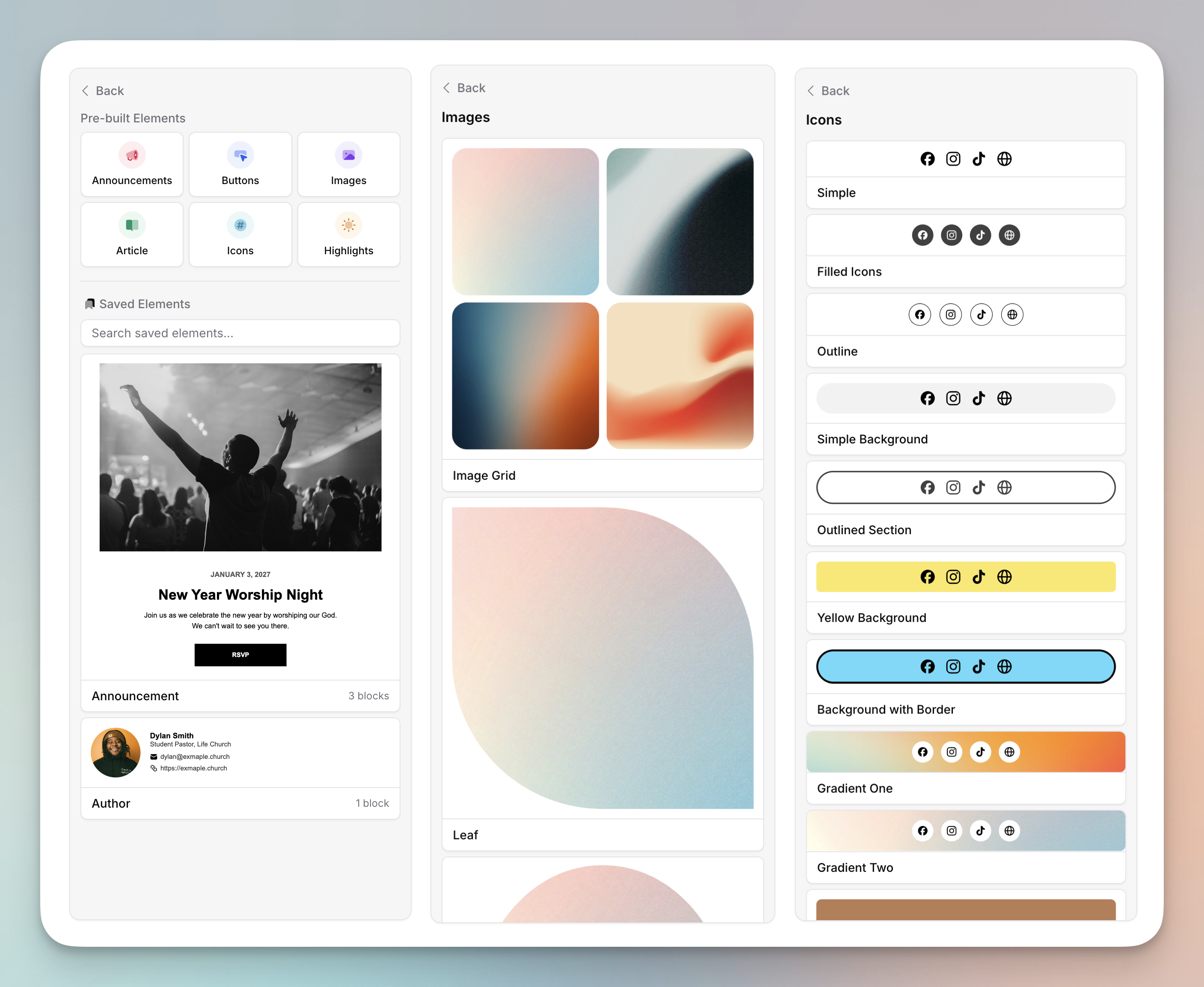
Email Elements make it easier to build beautiful emails from scratch. Drag in pre-designed announcement sections, buttons, images, and more, then customize each one to fit your style and content.
You can also save your own custom Elements to reuse across emails and automations. Build a volunteer sign-up section or a signature block once, save it, and it's there in the sidebar whenever you need it. Select multiple blocks and click Save as Element, or save a single block from the bottom of the sidebar.
Version History
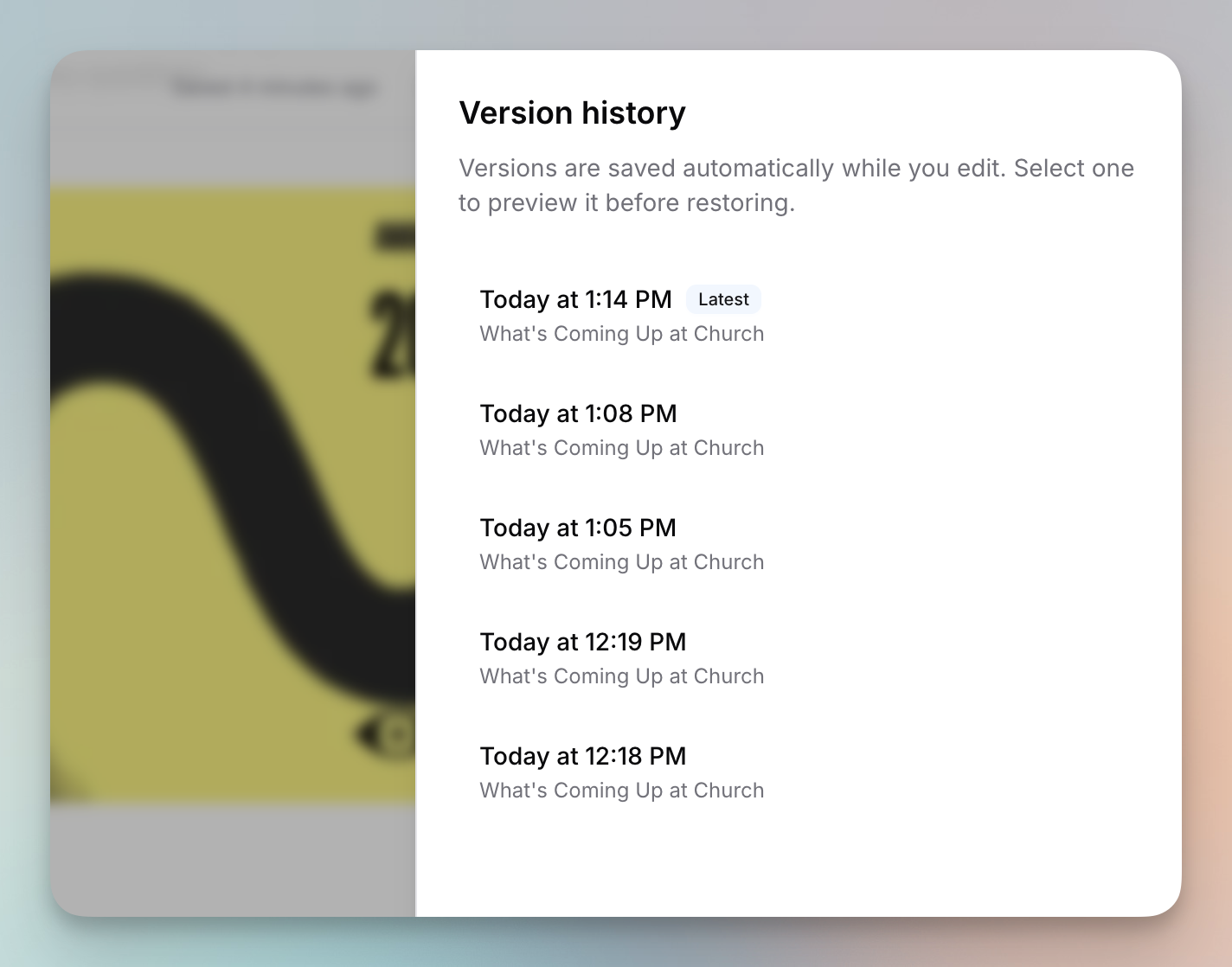
Open the three-dot menu in the email editor to see your email's version history. We store the 50 most recent versions, so you can make big changes with peace of mind and find an older version to revert to if you need it. You can preview each version before choosing whether to restore it. We also added an editor settings menu where you can reset your preferences like Planning Center import types and column block deleting back to default.
Team Folders
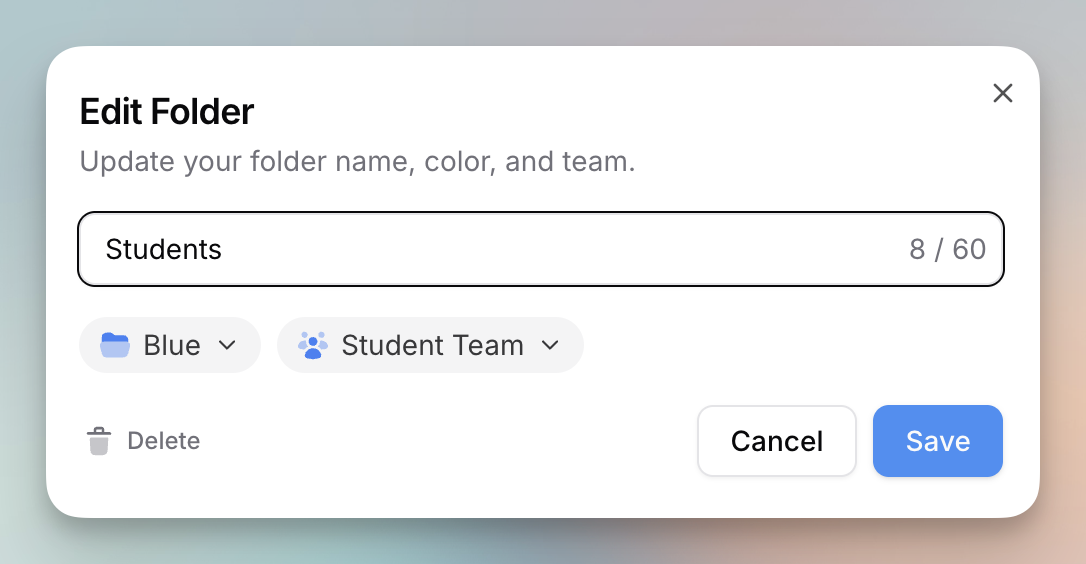
You can now assign a top-level email folder to a team, so only members of that team, plus organization owners, can see the emails inside it.
- Only top-level folders can be assigned to a team, and subfolders inherit the permissions of their parent folder.
- Folders without a team stay visible to everyone with email access, and you can see which folders belong to a team under the Access tab on the team details page.
- You can now also move folders into other folders, which makes reorganizing your emails much easier.
See a timeline of events per recipient
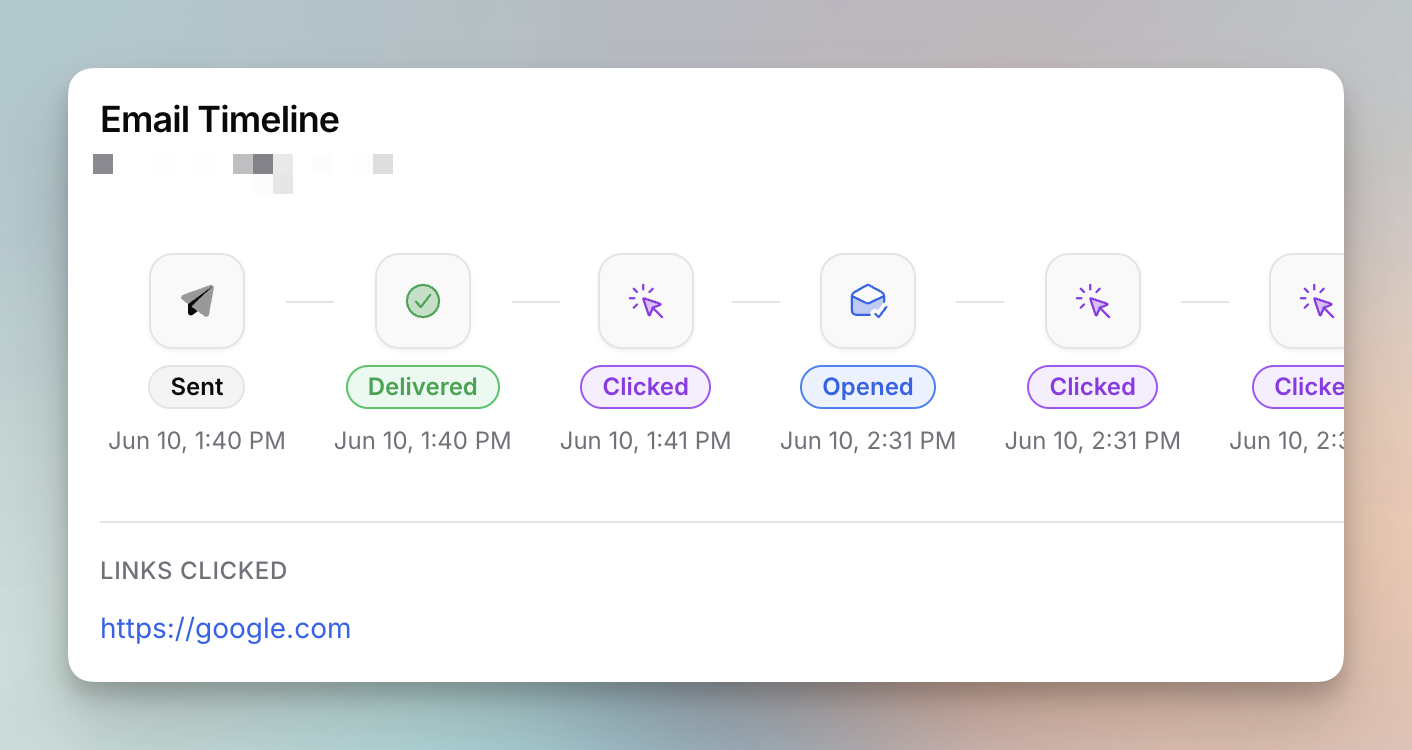
Click a recipient's status badge on an email's recipients view to see a full timeline of everything that happened. It includes each time the email was opened and which links were clicked, so you can understand exactly how someone engaged.
Help & Support in the sidebar
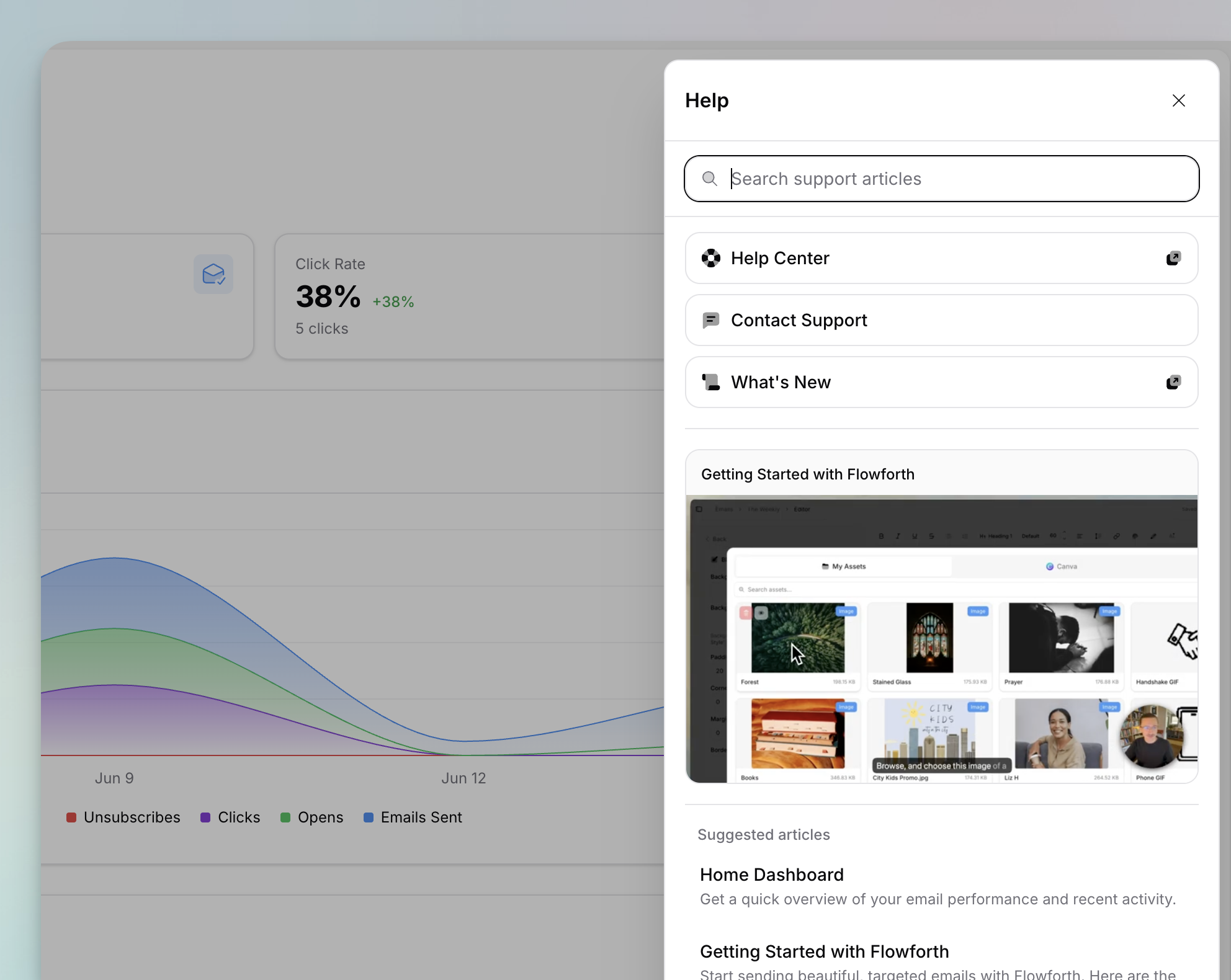
We replaced the Contact Us and Help Center links in the sidebar with a new Help & Support panel. Search help articles with a keyword or a natural-language question, get suggested articles and videos based on the page you're on, and reach out to support, all from one place.
Fixes and improvements
A handful of the other things we shipped in June:
- Archive and unarchive multiple emails at once from the emails table.
- We redesigned the custom color picker with a larger picking area, your brand colors as large swatches, and an eyedropper in browsers that support it.
- Set a default subject and message on email links, or a default message on SMS links, that pre-fill when someone taps the link.
- Turn off link underlines across an email with a new global style toggle for a cleaner look.
- Adjust the spacing between social icons with a new Spacing control on icons blocks.
- Link straight to a Church Center group type, and find links faster with the Church Center link picker now grouped by app.
- Filter and sort tables faster with the options shown directly in the popover instead of a nested dropdown.
- The link page builder layout now matches the email builder.
- We changed how image and file URLs are structured for cleaner links and better deliverability.
- Email send times now show the day of the week and hide the year unless it's different from the current year.
- Hidden lists now appear in your results when you search the lists table.
- List bullets and numbers now use the size and color of the first character in the list instead of your default paragraph style.
- Canva design imports are faster.
- The date and time picker no longer resets to midnight when you change months.
- Replicating an email or saving one as a template now pre-fills the name and folder.
- We added video guides to the help center.
That wraps up a big month for automations. Log in to explore everything new, and tell us what you would love to see next.