We started the year with a long list of updates to help your church communicate more clearly and manage your account with less effort. We shipped a brand new Home Dashboard, more flexible email layouts, extra send credits for busy seasons, and a handful of editor improvements you have been asking for. Here is a look at the highlights.
Your new Home Dashboard
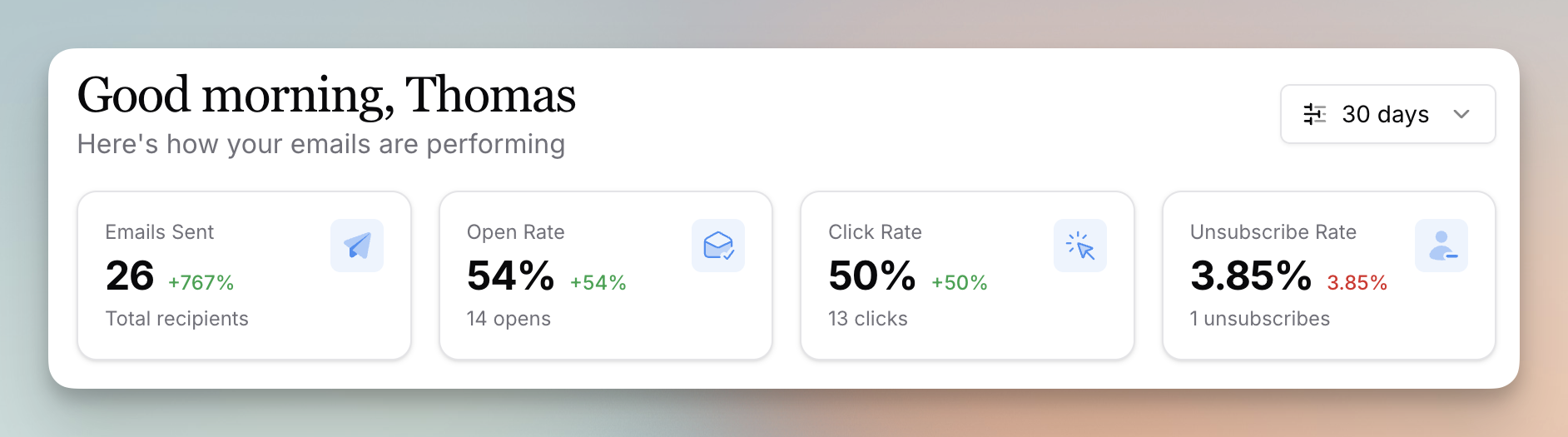
Flowforth now has a global dashboard that gives you a clearer picture of what is happening in your account at a glance. You can see your aggregated metrics, your recent emails, your email send limit, and the contacts who recently unsubscribed. We also filter email templates out of the recent emails list so you only see the real sends. Let us know what other stats you would like us to add.
Columns and list category permissions
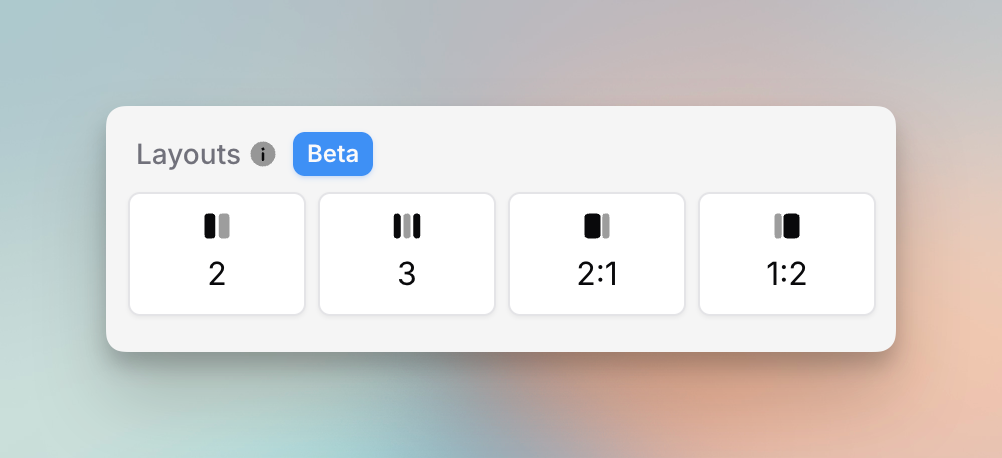
Building the email layout you want just got easier, and so did keeping your lists organized.
- You can now officially create column layouts in your emails using regular blocks. The cards style is sticking around, but it is no longer the only way to make columns.
- Set list permissions based on the list category, so you can more easily control list visibility from Planning Center.
- Change cards block images to their original aspect ratio instead of only 16:9, and resize an image block right on the image by grabbing the resize handle.
Extra send credits for busy seasons
Some seasons call for more email than others. You can now purchase extra send credits for those busier stretches when you need more sends but do not want to upgrade your whole plan. These credits never expire, and they are only used after your monthly limit runs out. You can buy them in the billing section of settings if you are already on an active paid subscription.
Live YouTube in the video block
You can now drop a live YouTube video into the video block. This is especially handy when you trim your livestreams down into VODs and want to share them with your church.
Hidden lists
You can now set lists to "hidden" to tidy up how much information you see throughout the app. Hidden lists are restricted from non-owners, and they are also hidden from owners in the list selector on the "to" field, so your most-used lists are easier to find.
Custom text sizes
You now have more control over how your text looks. Set a custom text size for text in a text block, text in a button, and text in your email footer, so your emails match your church's style exactly.
Drag and drop uploads
Uploading assets is now as simple as dragging them in. Instead of clicking a separate upload button, you can drag files straight into the asset browser or the assets page.
Fixes and improvements
A few smaller updates that made January better:
- Click a person's name on the recipients table to jump straight to their profile in Flowforth, and see whether they clicked a link in your email.
- Export your email recipients and your contacts to a CSV, with links to view each person in Planning Center or in Flowforth.
- Link text, images, and buttons to a web link, an email, or a file, and justify buttons and images left, right, or center.
- Share links for emails are now much shorter, which makes them easier to send over text and social media.
- We now notify all organization owners when a payment fails, set the reply-to address on test emails to whoever sent the test, and warn owners by email when your send limit passes 75%.
- We added a custom text size to footers, a footer logo size setting, an email category filter on the emails table, and more actions to the three dot menu so you can do more without leaving the table.
- We fixed a YouTube thumbnail bug that showed black bars, an issue where quickly hitting "Save and Exit" could drop your latest text, and a few template saving problems.
That is a wrap on January. Log in to try these out, and tell us what you would love to see next.